











Skip to content

Thursday, September 24, 11 a.m.Sphère, what's next: the new features live, with your questions.

Save my seat

Drive — All your files, in one place.

Folders for every team, every kind of document opened in the browser and every version kept. Hosted in Tunisia, on a dedicated cloud or on your own servers.
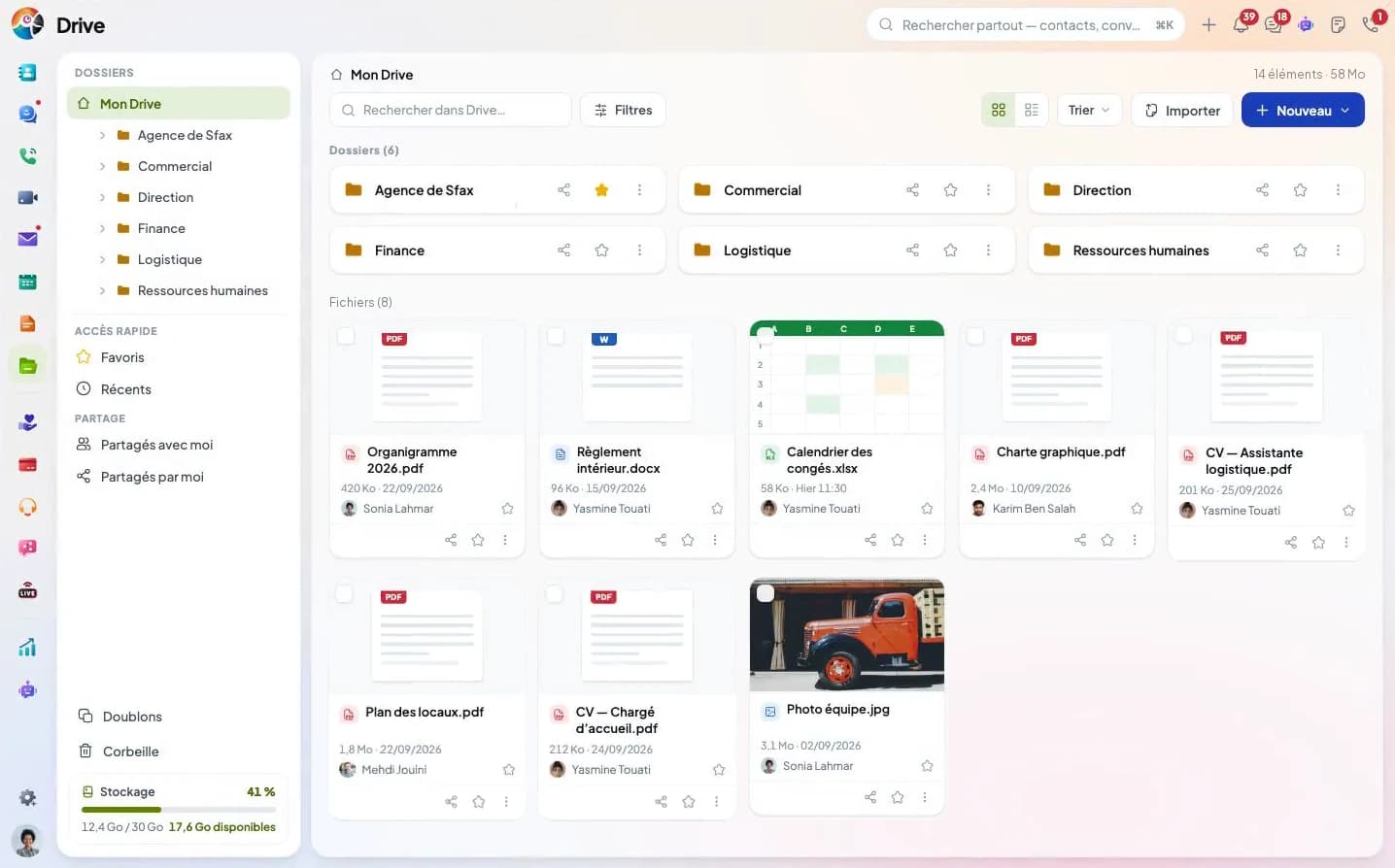
My Drive: six team folders, PDF, Word, spreadsheet and image files, and a file being dragged to a folder.
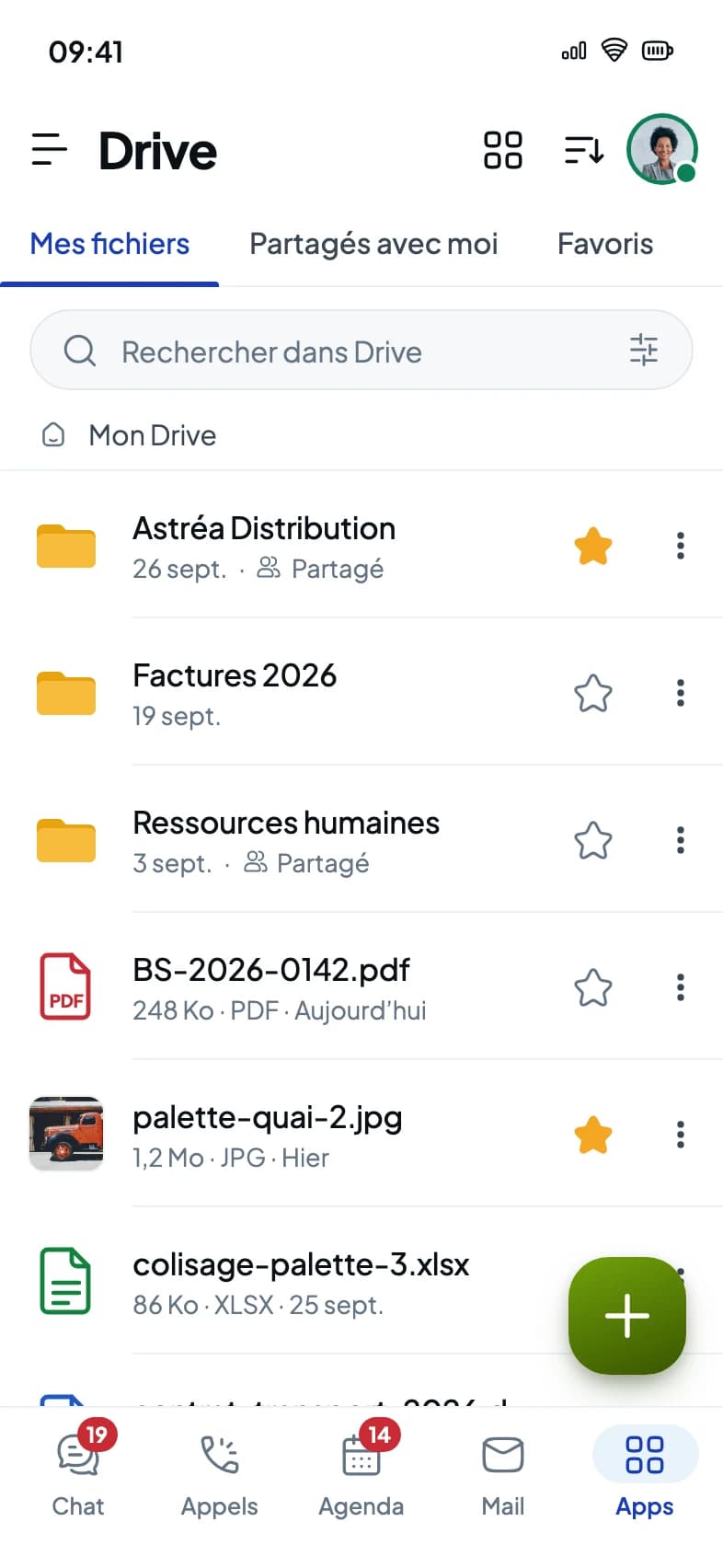
The Drive mobile app: the My files screen, with folders and recent files.

Trusted by

  • Tunisair
  • Orange
  • Ford
  • Délice Danone
  • Vistaprint
  • FedEx
  • Peugeot
  • Zara
  • Celio
  • Condor
  • Royal Air Maroc
  • Pathé

The problem

Five places. One Drive.

Without Drive

  • Everyone files things their own way, in their own corner
  • To find a contract, you have to remember its name
  • To open a spreadsheet, you need Office on the computer
  • A file deleted by mistake is gone for good

With Drive

  • Shared folders, the same for the whole team
  • Search also reads the text of PDFs and scanned pages
  • Word, Excel and PowerPoint open in the browser
  • The trash keeps it for twenty days: one click and it's back

Every day

Recover a version, send a link that expires.

A version to recover, a file to send, some tidying to hand over to Koukou: what comes up every week, on the web and on the phone.

Go back to an earlier version

Each version keeps its author and date. An older one can be restored or downloaded from the file's history.

Send a link that expires

From one hour to seven days, with a password if you want one. The link can be revoked in one click.

Work with Koukou AI

Give it a contract's name or a word from its title and it finds it. Ask it to create a folder or move files into one: it does so when you ask, within what your rights allow.

Sort, search, upload

Every move, one screen at a time.

View, search, upload: the three things you do every day, in the same folders for the whole team.

  1. View and sort

    Your own view, actions right there.

    A thumbnail grid or a compact list, favorites for the folders you use daily, sorting by name, date or size. Tick several files and a bar lets you download, move or trash them all at once.

    • Grid or list
    • Favorites always at hand
    • Sort by name, date or size
    • Recent files
    • Actions on several files
    • Shared with me
  2. Search

    Find a file by what it says.

    One word from the contract is enough, even if you don't know its name: the excerpt appears with the word highlighted, wherever your rights take you. Filters then narrow it down by type, date, size or person, subfolders included.

    • Search in the text of PDFs and scans
    • The word highlighted in the excerpt
    • Filter by type
    • Filter by date
    • Filter by person
    • Only what your rights open
  3. Upload

    A folder arrives whole.

    Drag the folder onto the page and its subfolders come with it. Drive spots copies of the same document, even renamed, and merges them while keeping their shares. It also checks the space before writing anything.

    • Whole folder, subfolders included
    • Drag and drop
    • Copies spotted, even renamed
    • Duplicates merged, shares kept
    • Replace or keep both
    • Space checked before upload

Work together

One copy, and the whole team on it.

The document opens, gets edited and commented in Drive. Nobody downloads it, nobody sends back a “final version 2”.

Add a colleague to the folder and give them a role: viewer or editor. Everything inside the folder follows the same right. For a client, a link that lasts from one hour to seven days, with a password if you want one.

Office in Drive

The document opens where it's stored.

Word, Excel and PowerPoint are edited in the browser and PDFs are read there, without leaving Drive. When you close it, the document stays in place, with no attachment to send back.
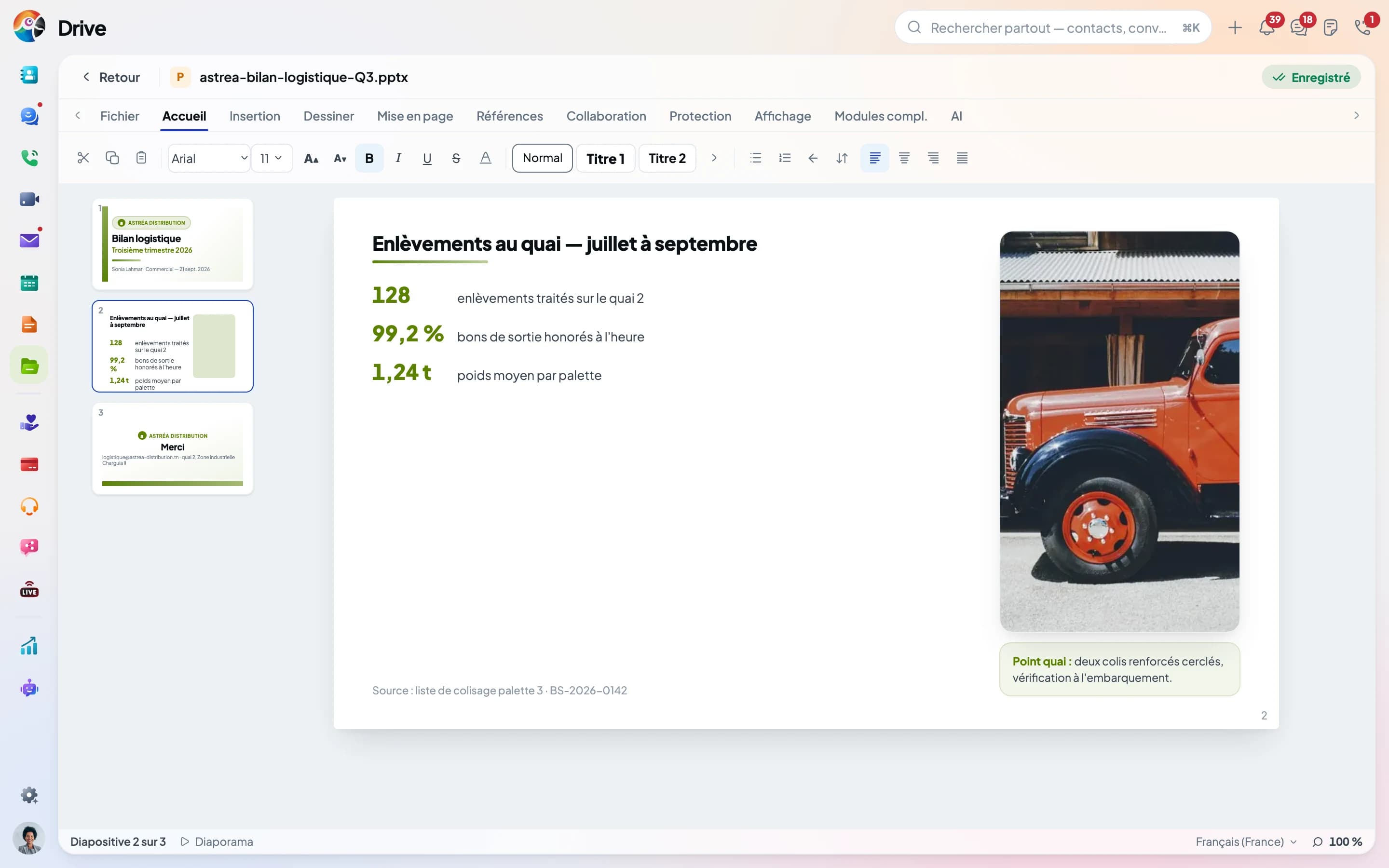
A PowerPoint presentation open in the Drive editor: slide thumbnails on the left, the dock pickup slide in the center, the Home ribbon on top.
  • Nothing to install

    A browser is enough, at the office or at home. On the phone, the Drive app opens the same editor.

  • Start from a blank page

    Document, spreadsheet, presentation: it's created in the open folder, with that folder's rights. Nothing to share afterwards.

  • One version per session

    When the editor closes, the changes become a new version, with its author and date. The previous one can be restored or downloaded.

  • Your client reads it without an account

    They get a link: the document opens in their browser, read-only. A password if needed, and the link expires on the date you choose, seven days at most.

See the details

Koukou AI

You ask, Koukou files. Within your editor rights.

Koukou finds a file, creates a folder, renames, moves or sends to the bin, when you ask. It only touches folders you can edit, and every action shows under its answer.

  • Find a file by its name
  • Create a folder and file into it
  • Rename, move
  • Move to the bin, restore
  • Every action listed under the answer
  • On the web, for now

Mobile app

The same folders, on iPhone and Android.

The Drive app opens the same folders as the web, with the same permissions. Search for a document, share it, or file a scan from your phone.

Admin

The admin sees the usage, and sets every access.

A dashboard, an upload limit for each person, the list of shared links, and nothing is lost when someone leaves.

Dashboard

Space and usage,
on one screen.

Storage used, number of files, uploads and downloads over the period, and the share of each file type. The admin sees where space goes before it runs out.

Security and compliance

Who reads, who edits. Folder by folder.

Every share carries a role, every link a password and an end date. Without access to the folder, a colleague can't find it, not even by a word in its text.

  • Two roles to give, viewer or editor; the owner keeps control of sharing.
  • Password-protected links that expire after one hour up to seven days.
  • After ten wrong passwords, the link locks for fifteen minutes.
  • Search that only shows what your permissions open.
Certifications

Certified ISO 27001 and ISO 9001. Check it in the register.

Check on Certipedia
  • ISO/IEC 27001:2022

    Information security

    How your data is classified, protected and returned, audited by TÜV Rheinland.

  • ISO 9001:2015

    Quality management

    Written processes, checked and reviewed: what TÜV Rheinland comes to audit.

Pricing

Drive is included in the Full plan.

No separate subscription for your files. The Full plan brings together calls, chat, video meetings, activities, email, notes and Broadcast, on a single invoice.

In the Full plan

  • Drive
  • Calls
  • Chat
  • Visio
  • Calendar
  • Mail
  • Notes
  • Broadcast

Plus the Core, in every plan

  • Directory
  • Analytics
  • Dashboard
  • Automation
  • Settings

Comunik KIT

Full plan

from

26.9TND

per user per month, excl. tax
Storage

50GB

for your whole organization
  1. Start5 GBno Drive
  2. Advanced30 GBno Drive
  3. Full50 GBDrive included

The inventory

Everything inside, and what's missing.

What's in grey doesn't exist yet, or not everywhere (web or mobile). We'd rather say so than keep quiet about it.

Not yet, or not everywhere

Organize and find

  • Upload a whole folder, with its subfolders
  • One word from the contract is enough to find it, the passage is highlighted
  • Filter by type, date, size, person, subfolders included
  • You only find what you're allowed to open
  • Grid or list, favorites, recent, sorting, actions on several files
  • Duplicates are spotted, even under another name
  • Files appear in the search across the whole sphere
  • On the web, Koukou organizes your folders and finds a file for you
  • Koukou summarises a document, answers a question about it or translates it
  • Koukou on the phone: it answers, it does not organize files yet

Connect to the other apps

  • Link a file to a Directory record
  • Mail: attach a Drive file, or send it as a link
  • Chat: share a Drive file
  • Attachment too large: it goes as a link, valid 24 h, 3 days or 7 days

Share

  • A link from one hour to seven days, with a password if you want
  • The client opens the link without an account, Office documents read-only
  • Three roles: viewer, editor, owner
  • A right given on a folder applies to everything inside it
  • Share with a whole group
  • Notified when a file is shared with you, “Shared with me” list

Versions and trash

  • Each version keeps its author and date
  • Restoring an earlier version creates a new one
  • Download an earlier version
  • Twenty days in the trash, adjustable up to a year

Office

  • Thirteen formats opened and edited as they are, no conversion
  • A blank document is created in the open folder
  • A version each time the document is closed
  • Comment on a document
  • Mention a colleague
  • Edit together at the same time, everyone sees where the others type
  • View an image, a PDF or a video without downloading it

On the phone

  • Several scanned pages become a single PDF, saved in the open folder
  • Search reads the text of scanned pages
  • Upload several files at once, pause, resume
  • A gauge warns you before the space is full
  • Offline

Security and hosting

  • Every file is scanned by an antivirus, and you can see it
  • Removed access leaves a trace in the log
  • When someone leaves, their documents stay
  • Hand your documents over to a colleague
  • Hosted in Tunisia, or in the client's country and on their servers

And also

  • Merge duplicates: shares and public links are kept (on the web)
  • Download a whole folder, or a selection, as a single ZIP file
  • A file with the same name already exists: replace, keep both, or cancel
  • Move a file by dragging it onto a folder
  • Copy a file or folder elsewhere
  • “Shared by me”: everything I've shared, in one place
  • Notified right away when a share is removed or your role changes
  • A warning before deleting or renaming a shared file
  • An internal link to send a file to a colleague
  • Undo a move to the trash in one step
  • A file's history: who uploaded, shared, downloaded it
  • Search: suggestions while typing and recent searches
  • The viewer: next file, PDF page by page, zoom, text, CSV spreadsheet
  • Send a photo to Drive from another app on the phone
  • Keep a file received in Chat in your Drive
  • Attachment too large in Notes or a Finance deal: stored in Drive
  • Import an Excel or CSV file from Drive (contacts, etc.)
  • Office: track changes, to accept or reject
  • Office: a discussion next to the document
  • Office: autosave, and the editor warns you if space runs out
  • Office: download in another format (PDF…) and print
  • People on the share are notified of each new version
  • Drive dashboard for the admin
  • A different upload size limit per person
  • Export the file list as a spreadsheet (name, size, folder, dates)
  • A guided tour of Drive for newcomers

Frequently asked questions

What people ask us before moving to Drive.

The answers, including when they say what's still missing. Your question isn't here? Ask it during the demo, on your own documents.

One Drive for the whole team. Try it on your own files.

Folders for every team, Word and Excel edited in the browser, a link that switches off on its own for clients. Included in Comunik KIT, Full plan.
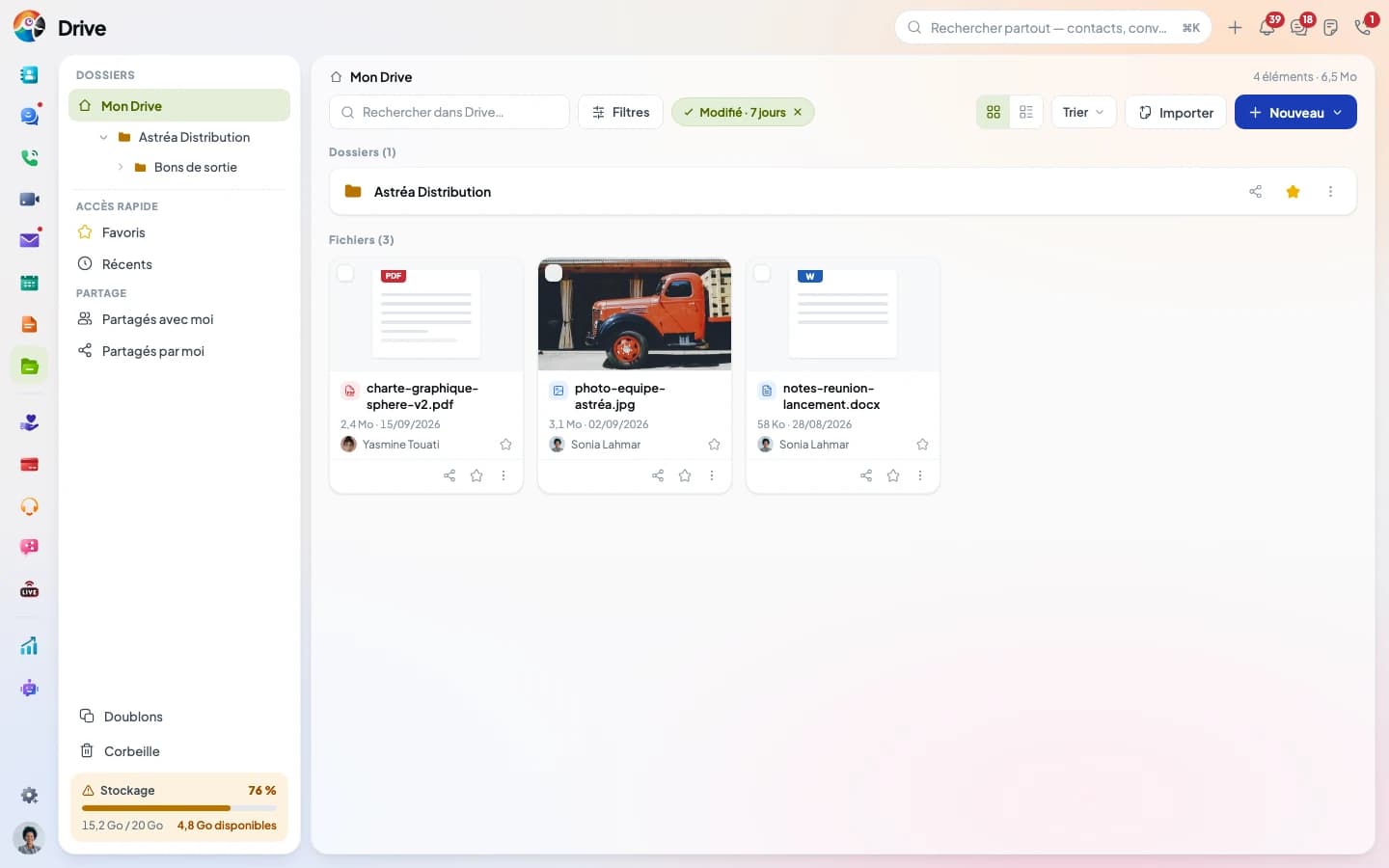
My Drive: the Astréa Distribution folder and its recent files.