






Skip to content

Thursday, September 24, 11 a.m.Sphère, what's next: the new features live, with your questions.

Save my seat

Comunik VOIP — Your number rings. Everything after is already written.

The PBX, call queues, supervision and IP desk phones are all set in one console, and it's yours. A call answered at the office carries on in the browser or on the mobile, on the same number.

Trusted by

  • Tunisair
  • Orange
  • Ford
  • Délice Danone
  • Vistaprint
  • FedEx
  • Peugeot
  • Zara
  • Celio
  • Condor
  • Royal Air Maroc
  • Pathé

The PBX

A phone system you set, not one you put up with.

A badly set PBX

  • Every phone rings, nobody picks up.
  • At 6:01 pm, the call falls into the void.
  • A desk phone that went off at 6 am never says so: it just doesn't ring.
  • Every new desk phone is configured by hand, on the handset.
  • Monday's report is copied from four screens, every other week.

With Comunik VOIP

  • A group rings in the order you choose, then a queue takes over.
  • Business hours switch to an announcement, voicemail or the on-call mobile.
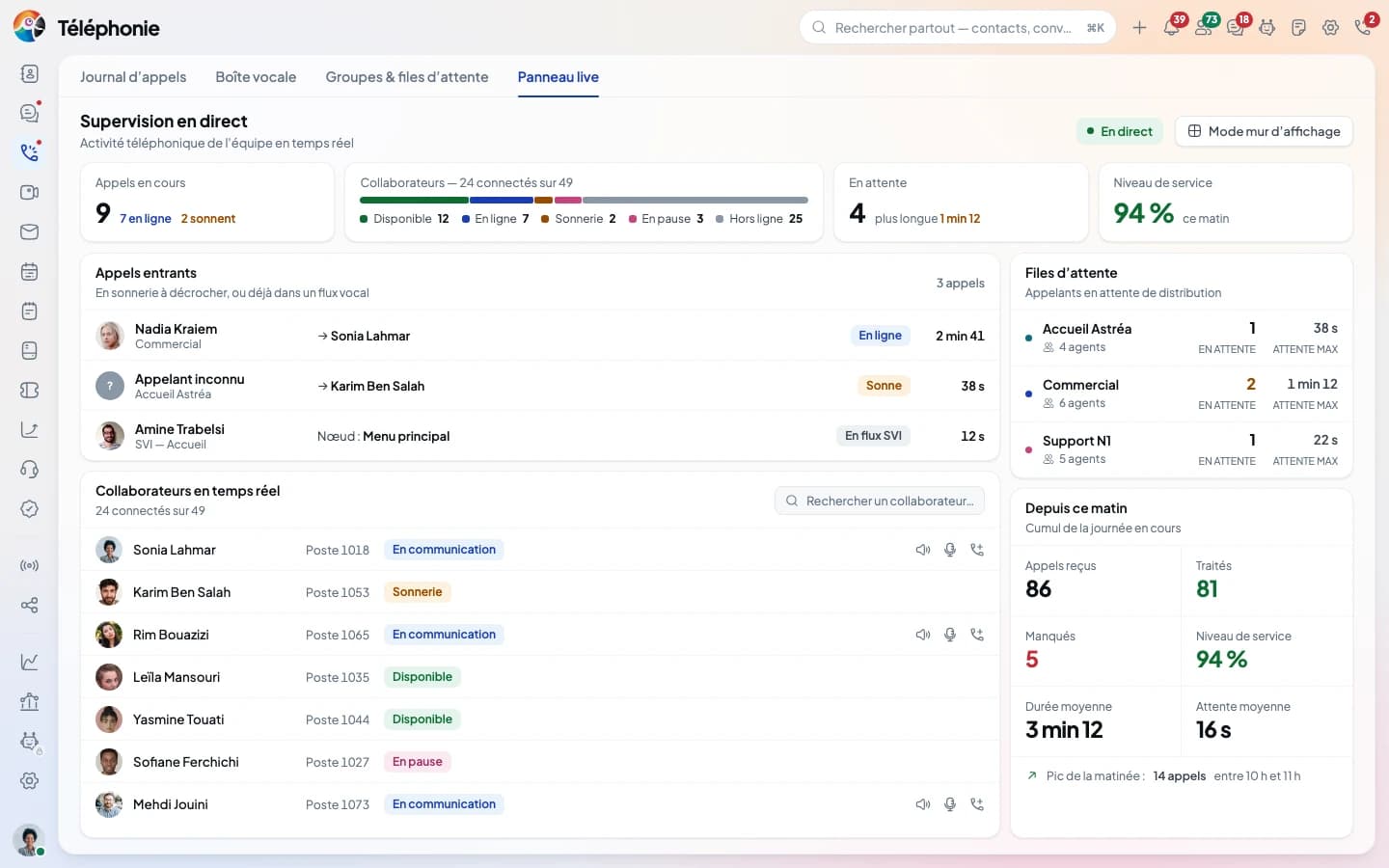
  • The live panel shows every extension, its status and for how long.
  • A MAC address is enough: the phone pulls its own configuration.
  • The report goes out on its own, at the time you set, as PDF or CSV.

The path of a call

One incoming call, from end to end.

This is what a call to the main number goes through. Each box is a console setting, each arrow a decision made before the first ring. Nothing is hard-wired: everything moves with the mouse.

  • The call comes in

    Nine possible destinations for a number, hours by time slot, public holidays on the calendar and an override for the length of a meeting.

  • Finding who answers

    Five group strategies and eight queue rules, each explained in one sentence. A mobile is a member like any other.

  • Someone picks up

    In the browser, on the mobile or on the handset: the same call, and it moves from one device to another without hanging up.

  • A record remains

    Every call with its direction, source, duration and cost, worked out at hang-up. The recording too, when it is switched on.

The console

The company phone, one screen at a time.

One number, one destination.
Nothing lost on the way.

Every incoming number points to an extension, a group, a queue, a voice menu, a voicemail box or an outside number. Groups, queues and hours are set in the same console, and an extension opens on one sentence that says what it is allowed to call.

  • Incoming numbers
  • Call groups
  • Call queues
  • Hours & holidays
  • Music & announcements
  • Call permissions

Supervision and reporting

Live status, the numbers,
and listening in when needed.

"We haven't been able to reach you all morning." By the time a customer says it, it's too late. The live panel, service targets queue by queue and alerts tell you before the customer does.

  • Live panel, five states
  • Service target per queue
  • Alerts during the day
  • Six listening actions
  • Wallboard
  • Scheduled reports

Listening in

Supervising is not seeing everything.

Listen, whisper, barge in: what trains a newcomer in three days instead of three weeks is only fair when it is framed. It is, action by action.

  • Two separate roles

    The supervisor sees their floor and listens to their agents; they don't configure the PBX. The listening policy (silent, beep or announcement) and service thresholds stay with the administrator.

  • One permission per action

    Listen, whisper, barge in, take over a call, pause and hang up are six separate permissions. You can hand out listening without the right to cut a call.

    Each listening session leaves a full record, but that record has no screen yet: it is read through the API.

  • An extension can refuse

    An extension with listening disabled cannot be listened to, even by someone who holds the permission. The server refuses; it doesn't just hide the button.

  • Listening is not replaying

    Access to recordings is separate from supervision. You can give a team lead the live view without opening a full year of recordings, and the other way round.

IP desk phones

Seven IP phones, one way to plug them in.

From the two-line phone in a workshop to the three-screen receptionist console. They all provision the same way, carry the same directory and mix freely in the same company.

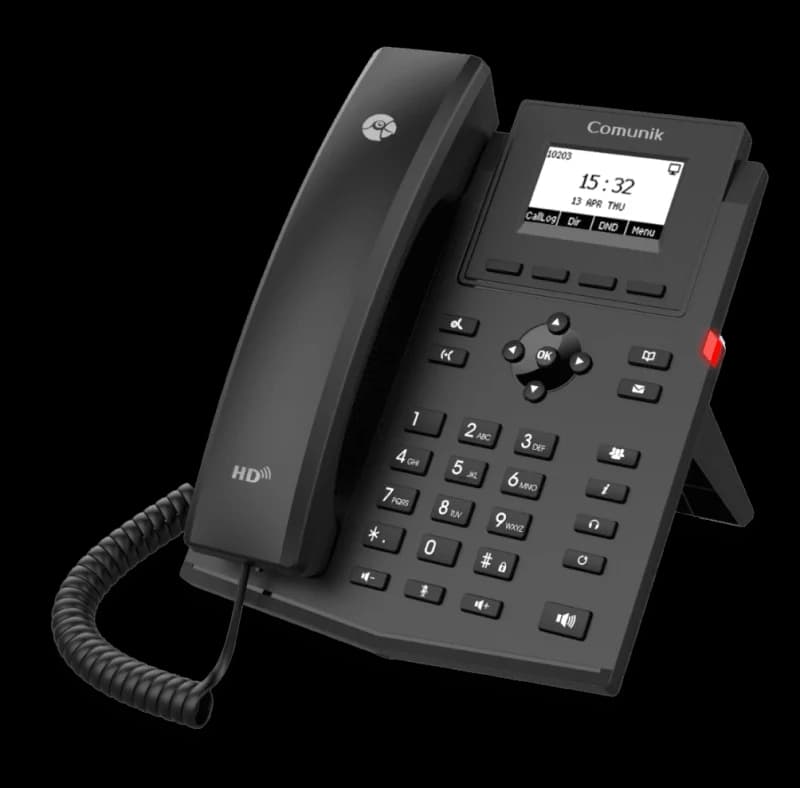
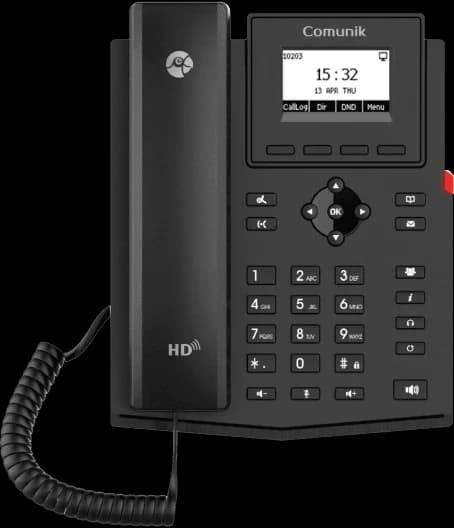
The CMK12P IP phone at a three-quarter angle: handset on the left, backlit screen and keypad.

Business IP phone · CMK12P

Two lines, and nothing more.

The phone you put where someone needs to pick up, without turning it into a full work tool. It provisions like the others, carries the same directory, and costs what a two-line phone costs.

  • 2 lines
  • HD voice
  • EHS headset
  • PoE
  • Opus
  • 6-way conference
  • IPv6
A screen, nothing to set
A 132 × 64 backlit LCD and two BLF keys: the phone shows who is calling and who is free, with no menu to dig through.
One socket on the wall
Two 10/100 Mbit/s Ethernet ports, and power over the network cable. No power brick behind the desk.
HD voice, both ways
Handset and speaker in HD voice, on the G.722 and Opus codecs. Six-way conference, and an EHS port for a wireless headset.
Encrypted and standard
Configuration and calls encrypted with AES, SRTP and TLS. The phone speaks SIP: it will work on another platform too.
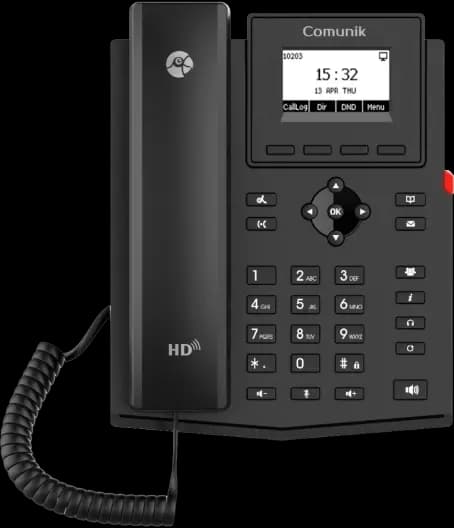
The extra IP phone

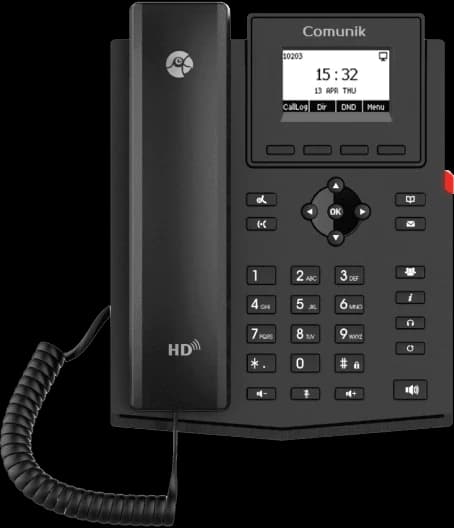
  • The CMK12P IP phone, front view.

    CMK12P

    Business IP phone

    • 2 SIP accounts
    • 132 × 64 screen
    • 2 BLF keys
    • PoE
  • The CMK12G IP phone, front view.

    CMK12G

    Entry-level IP phone

    • 2 SIP accounts
    • 132 × 64 screen
    • 2 gigabit ports
    • PoE
  • The CMK12W IP phone, front view.

    CMK12W

    Entry-level Wi-Fi IP phone

    • 2 SIP accounts
    • Wi-Fi 2.4 and 5 GHz
    • 132 × 64 screen
    • PoE

The everyday work phone

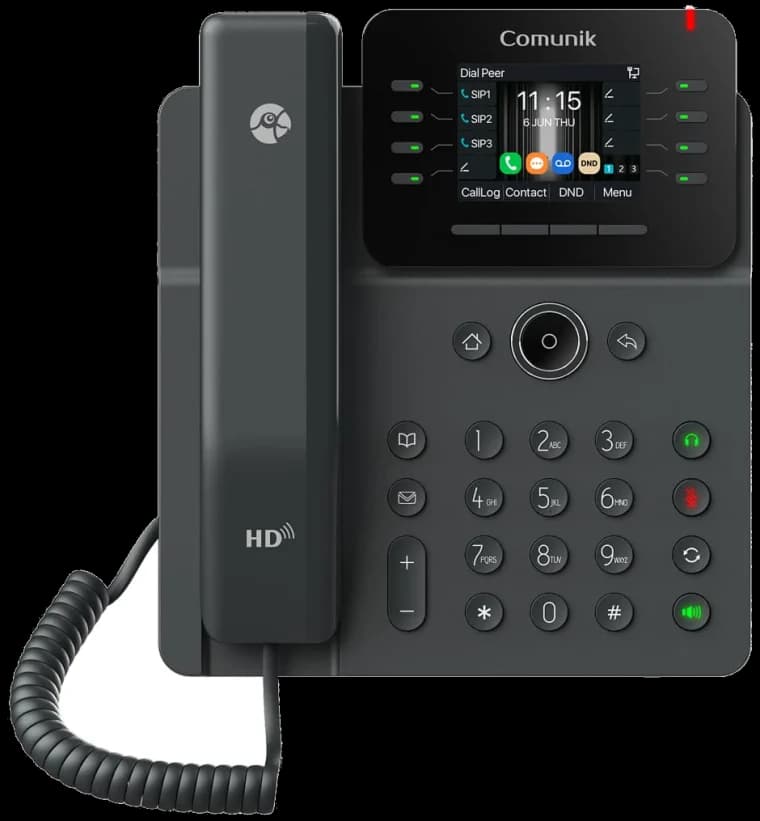
  • The CMK14W IP phone, front view.

    CMK14W

    12-line professional phone

    • 12 SIP accounts
    • 21 BLF keys
    • Dual-band Wi-Fi
    • Bluetooth 5.4
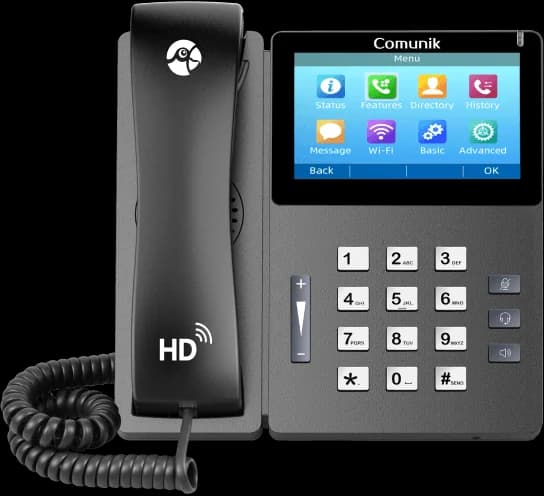
  • The CMK15 touchscreen IP phone, front view.

    CMK15

    High-end touchscreen IP phone

    • 4.3″ IPS touchscreen
    • 10 SIP accounts
    • 64 BLF keys
    • PoE
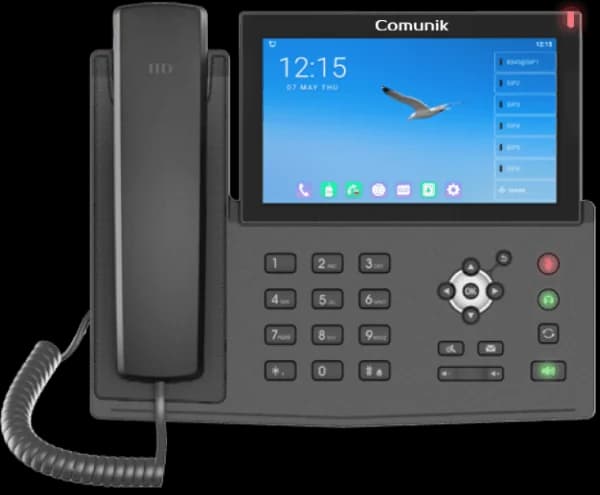
  • The CMK17V IP phone with its large Android touchscreen, front view.

    CMK17V

    Touchscreen IP phone, Android 9.0

    • 7″ touchscreen
    • 20 SIP accounts
    • 112 BLF keys
    • Optional USB camera

The receptionist console

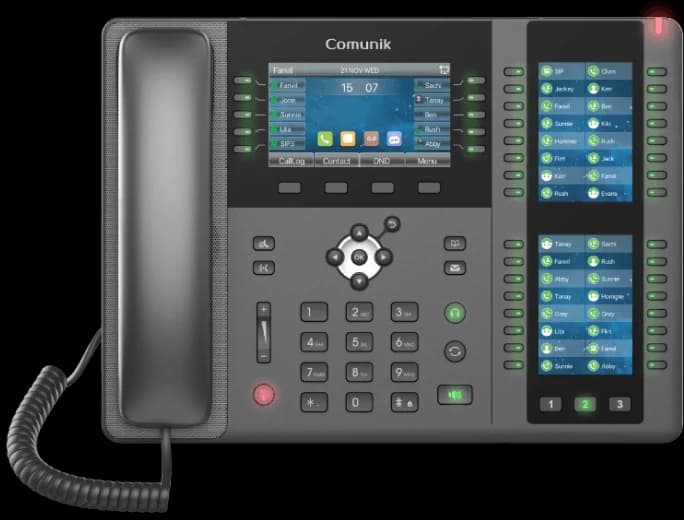
  • The CMK20 receptionist IP phone with its two key screens, front view.

    CMK20

    Receptionist IP phone

    • 106 DSS keys
    • 3 LCD screens
    • 20 SIP accounts
    • Bluetooth 2.1

All seven, on one line.

ModelScreenSIP accountsKeysEthernetWi-FiBluetoothPoE
CMK12PBusiness IP phone132 × 642210/100 Mbit/s——yes
CMK12GEntry-level IP phone132 × 6422Gigabit——yes
CMK12WEntry-level Wi-Fi IP phone132 × 642210/100 Mbit/s2.4 and 5 GHz—yes
CMK14W12-line professional phoneColour 2.8″1221GigabitDual-band, Wi-Fi 65.4yes
CMK15High-end touchscreen IP phone4.3″ IPS touch1064Gigabit2.4 GHzHeadset, via USByes
CMK17VTouchscreen IP phone, Android 9.07″ touch20112Gigabit2.4 GHz4.2yes
CMK20Receptionist IP phoneColour 4.3″ + 2 × 3.5″2010610/100/1000 MbpsVia dongle2.1—

Values come from each model's datasheet; a dash means the datasheet doesn't mention it, not that the phone can't do it. Dimensions, weight, power supply and box contents are in each model's PDF datasheet.

Your current phones aren't wasted.

An IP phone is declared by its MAC address, or imported from a file when there are sixty of them. It pulls its configuration, SIP identity, company directory and keys. Nobody types an IP address on a two-inch screen.

  • Model catalogue, CMK range included, editable templates
  • Network auto-provisioning, or zero-touch with a token
  • Company directory pushed to the phone's screen
  • BLF keys: see who is on a call, pick up for them
  • Configuration over HTTPS, encrypted and permanent
  • Firmware tracking, and TFTP for older IP phones

The inventory

Everything you can set, and what is still missing.

The list of settings, with the console's real values. What we don't do sits in the same place, in grey.

In grey: what Comunik VOIP doesn't do, or doesn't do yet.

The PBX

  • Nine destinations per incoming number
  • Five group strategies, a delay per member
  • Eight queue rules, overflow and announced position
  • Hours, recurring holidays, overrides
  • Call permissions in seven categories, deny by default
  • Emergency numbers never blocked: 197, 190, 198, 112
  • Transcribed voicemail, delivered by email
  • Forwarding: always, when busy, no answer
  • Queue overflow to an outside number: not yet editable on screen

The extensions

  • Provisioning by MAC address
  • Fleet import from a CSV file
  • BLF keys, speed dial
  • Setting profiles applied to many extensions at once
  • WebPhone in the browser, nothing to install
  • Mobile app, call moved from one device to another
  • A personal conference room for every extension
  • Supervising from a mobile phone

Supervision

  • Live panel: five states, pushed by the server
  • Service target and alerts, queue by queue
  • Six listening actions, each with its permission
  • Wallboard: twenty-eight widgets, kiosk mode
  • Scheduled reports as CSV or PDF
  • Voice quality (MOS, jitter, latency) call by call
  • Published availability rate
  • Listening log screen (read through the API)
  • Load forecasting, agent scheduling

Call log and costs

  • Every call logged, CSV export
  • Recording by number, route, queue, group or extension
  • A sphere-wide switch that overrides all others
  • Retention from 7 to 3,650 days, automatic purge
  • Call billing: rate card, bundles, cost centres
  • Audit log, configuration exported and restored
  • Agent console and outbound campaigns: that's Comunik Connect
  • Outbound dialler, predictive or progressive

Questions

The questions we get asked.

The ones that come up at the first meeting, about the PBX, supervision and desk phones.

Bring your opening hours and your departments.

We draw your call flow during the demo, call your number in front of you, and see together where the call lands.

The telephony live panel: calls in progress, team status and service level.